

Claude connectors vs MCP vs skills: what each one does, explained for non-coders
Connectors give Claude access to your tools, such as Gmail, Drive or Brevo, so it can read data and act there. MCP is the open standard that connectors run on. Skills are written instructions that teach Claude your process for a task. Plugins bundle connectors and skills into one install. Most people should start with connectors.
If you use Claude for marketing or admin work, you’ve seen connectors, MCP, skills, plugins and projects used almost interchangeably. They aren’t the same thing. Here’s what each one is in plain words, using Anthropic’s own definitions, plus how my free tools use them.
Every capability below is checked against Anthropic’s help center and docs on 21 October 2026. Claude changes fast, so check the linked source if something looks different.
What’s the difference between connectors, MCP, skills, plugins and projects?
Anthropic puts it in one line: “MCP connectors give it access to your tools, skills teach it how you do a task, and plugins package both as one install” (Claude docs: Connectors, skills, and plugins). Projects are a separate feature for background knowledge.
| What it is | Use it when | Where you add it | |
|---|---|---|---|
| Connector | A connection to an outside service so Claude can read from it and act in it | Claude needs your data or needs to do something in a tool | Customize → Connectors |
| MCP | The open standard connectors are built on | You’re adding a server that isn’t in the directory, or building one | Usually invisible; a URL for custom connectors |
| Skill | A folder of written instructions (a SKILL.md, sometimes scripts and files) that Claude loads when a task matches |
You repeat a task and want it done your way every time | Customize → Skills |
| Plugin | A package that can hold skills, connectors, commands and agents | You want several pieces installed and shared as one unit | Customize → Plugins |
| Project | A workspace with its own chats and knowledge base | You have one body of work with documents Claude should always see | Projects in the sidebar |
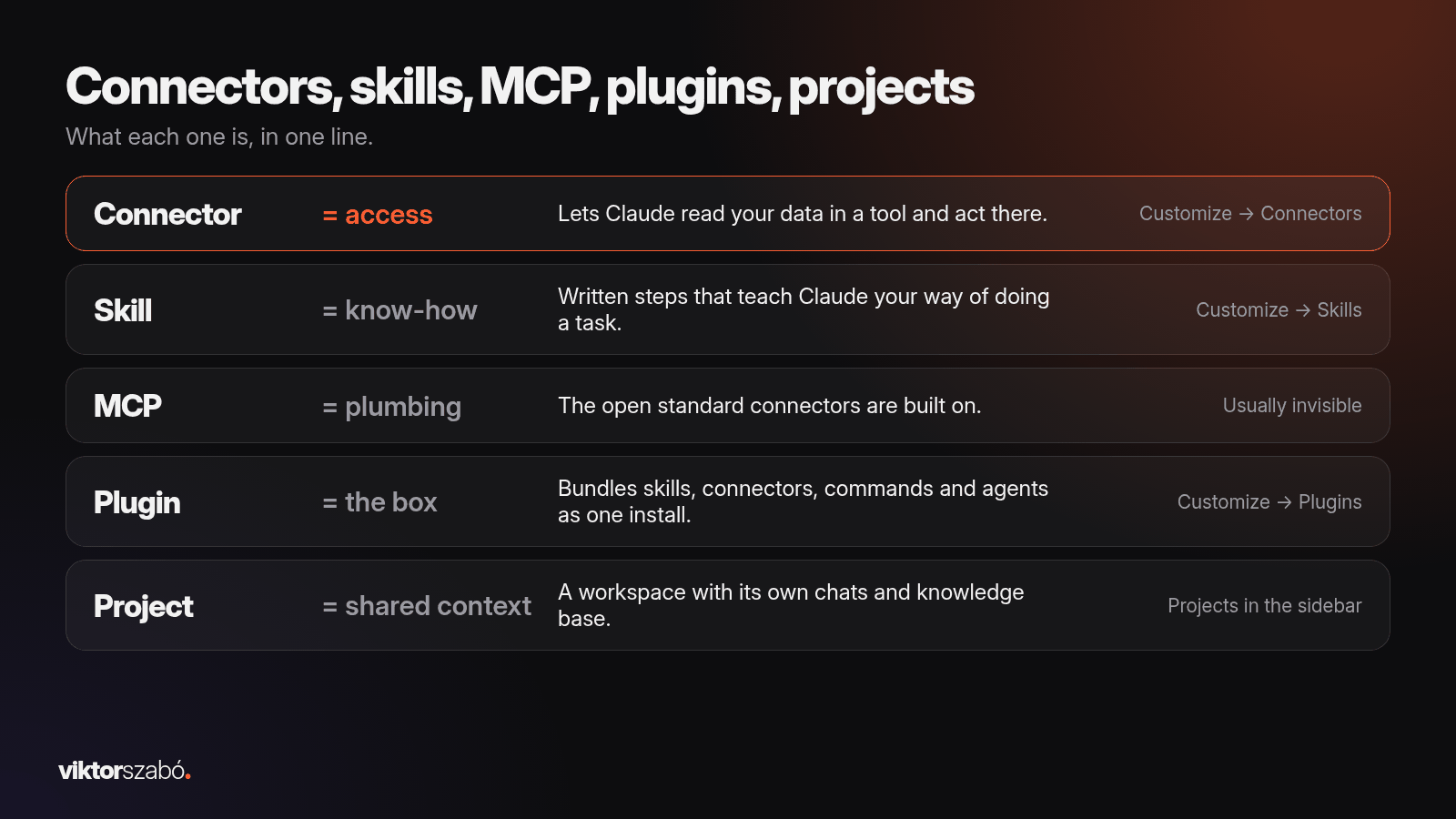
The short version: connectors are access, skills are know-how, MCP is the plumbing, plugins are the box they ship in, and projects are a shared folder of context.
What is a Claude connector?
A Claude connector is a connection to an outside service that lets Claude read your data there and take actions. Anthropic’s help center says connectors “let Claude access your apps and services, retrieve your data, and take actions within connected services” (Claude help center: Use connectors).
Three facts worth knowing before you turn one on:
- They mirror your access. Claude “inherits each person’s permissions from the connected service”. If you can’t open a file, the connector can’t either.
- They’re on every plan. Web connectors “are available for all users”. On Team and Enterprise plans, an Owner or Primary Owner enables a connector for the organization first, then each person signs in.
- What they can do depends on the connector. Each one has a page in the Connectors Directory listing its “read/write capabilities”.
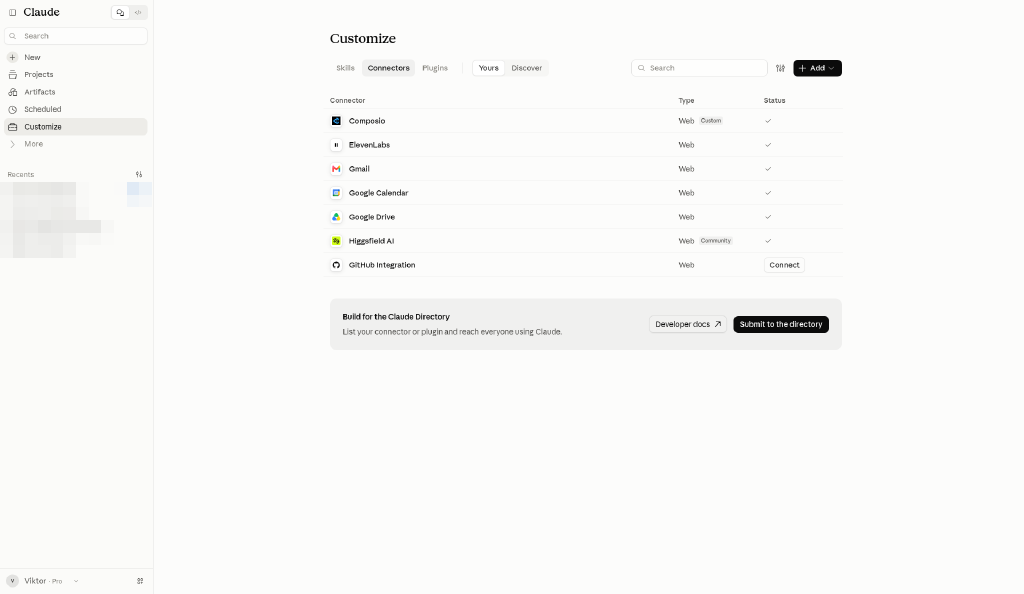
Here are the two connectors my free tools use, side by side:
| Connector | Reads | Creates | Can send? | Source |
|---|---|---|---|---|
| Gmail (made by Google) | Searches and reads email, attachment metadata (not contents) | Drafts, labels | Yes: send, reply and forward. Claude asks for your approval before each by default | Help center · listing |
| Brevo (made by Brevo) | Campaigns, A/B test results, contacts, lists, segments | Draft or scheduled email and SMS campaigns, templates | The Brevo connector reads your account, contacts, lists and stats, and can create draft or scheduled email and SMS campaigns. It can’t send now, edit existing campaigns, or add or import contacts. It has a tool to send a test of a template | Listing · Brevo |
Same word, different powers. Read the listing first.
Directory connectors vs custom connectors
You add most connectors from the directory: Customize → Connectors, find the service, Connect, sign in. If a service gives you its own server URL instead, you add it as a custom connector.
Anthropic says both “run on the same MCP infrastructure”. The difference is “review, discoverability, and distribution” (Claude docs: Directory vs custom). Directory connectors carry a Verified checkmark or a Community label. A custom connector is one Anthropic hasn’t reviewed (Connector verification).
Custom connectors work on Free, Pro, Max, Team and Enterprise, but “Free users are limited to one custom connector”, and Anthropic’s servers connect to them from its cloud, so the server has to be reachable on the public internet (help center).
What is MCP in Claude?
MCP, the Model Context Protocol, is “an open standard created by Anthropic for AI applications to connect with tools and data sources” (Claude docs: MCP). When someone adds an MCP server to Claude, they see it as a connector.
So a connector and MCP aren’t competitors. MCP is the protocol; the connector is what you see and switch on.
In plain words, an MCP server:
- runs either on your computer (local) or on the internet (remote)
- offers Claude tools (actions such as search, create, modify), resources (data such as files and records) and prompts (predefined interactions)
- must label every tool as read-only or able to change or delete data, so Claude and you can see what a tool can do
When do non-coders touch MCP directly?
Rarely. You only see the word when you add a server by URL or set one up in a config file. A real example: Brevo offers both a directory connector and a separate MCP server you set up with an API key in Claude Desktop or Claude Code. The server reaches far more of your account, and some of its modules can send SMS and WhatsApp campaigns (Brevo MCP docs). For an audit I’d use the connector, as I explain in my Brevo email marketing audit post.
What is a Claude skill?
A Claude skill is a folder of written instructions, optionally with scripts and reference files, that Claude loads when your request matches it. Anthropic calls skills “directories containing instructions, scripts, and resources that Claude dynamically loads to handle specific tasks”, each with a SKILL.md file (Claude docs: Skills overview).
How it works, in Anthropic’s three stages:
- Claude knows what’s available: it sees each skill’s name and one-line description.
- It loads the one that fits: when your request matches a description, it reads that
SKILL.md. - It opens extra files only when needed.
That’s why the description matters so much. It’s “the only part Claude sees before deciding to use the skill”, and the help center caps it at 200 characters (How to create custom skills).
Two practical points:
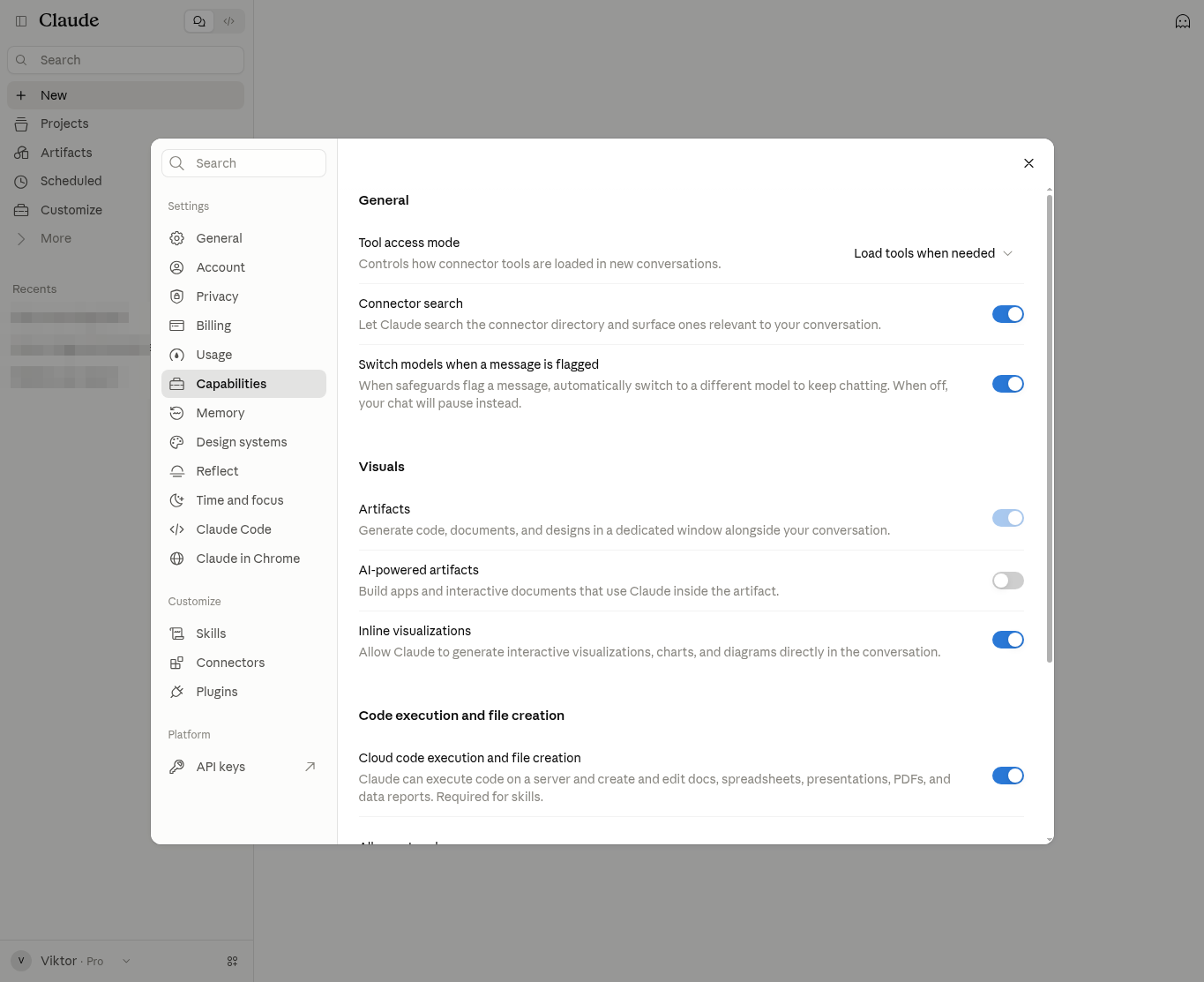
- Skills need code execution. Turn on Code execution and file creation (on my account it’s labelled “Cloud code execution and file creation”) in Settings → Capabilities, then add skills in Customize → Skills → + → Create skill → Upload a skill (Use skills in Claude). The skills docs list Pro, Max, Team and Enterprise; the help center also lists Free. If you don’t see Skills, check that setting first.
- Skills don’t add access. A skill can’t read your Gmail on its own. It tells Claude how to do a task with whatever access it already has.
A skill with no connector: my weekly report
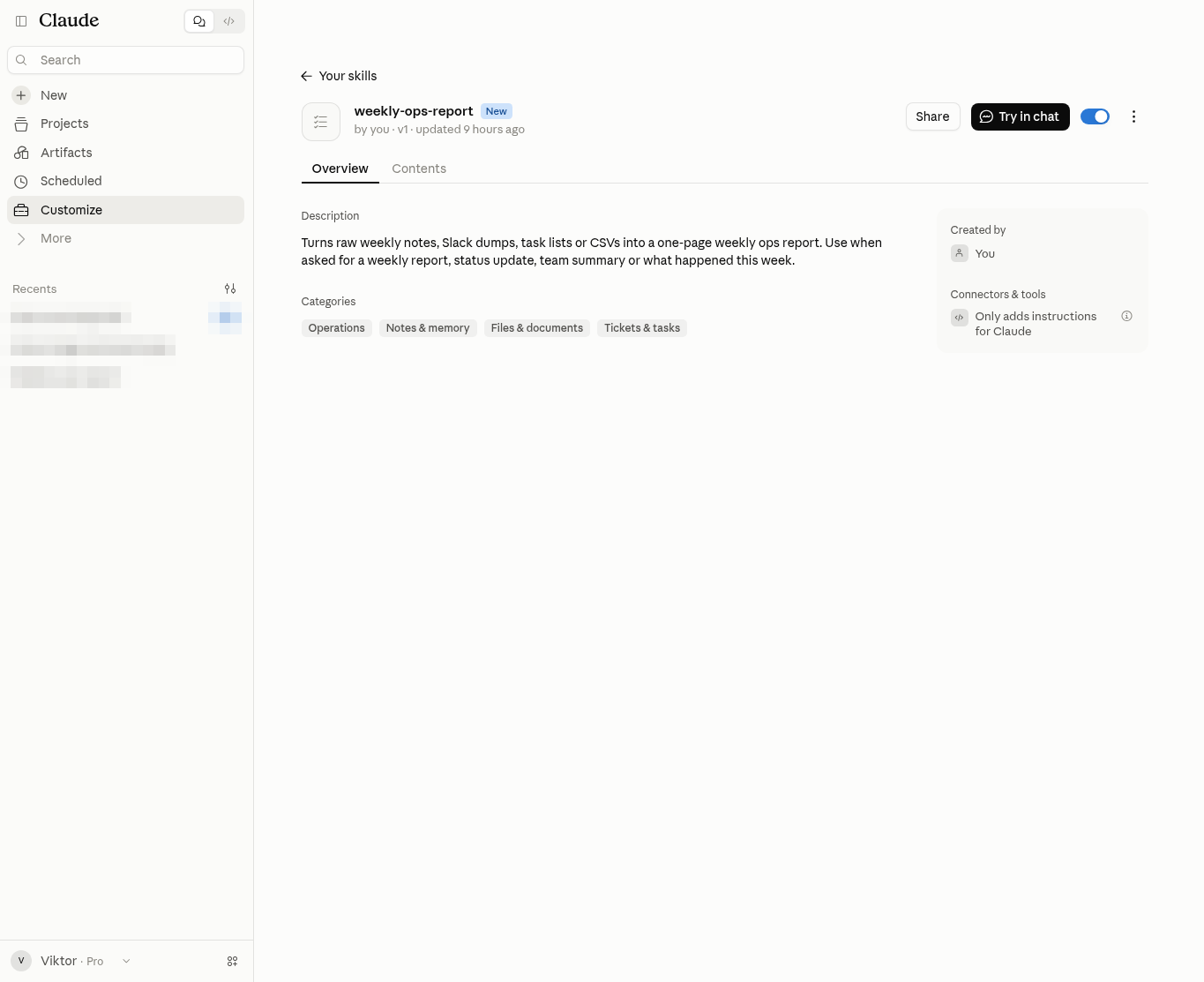
My free Weekly Ops Report Skill is a pure skill. You paste raw notes, task lists or a CSV and say “Make my weekly ops report.” Claude follows the skill’s format every time: TL;DR, shipped, in progress, blocked, key numbers, decisions, next week’s top 3 and missing data. No connector is involved. I walk through it in the weekly status report template post.
A connector plus a skill: Gmail triage
My free Gmail Inbox Triage Skill shows how the two fit. The Gmail connector gives Claude access to your inbox. The skill tells Claude how to sort it: Reply today, This week, Waiting on, FYI and Can archive, plus a Flagged section for likely phishing. It’s read-only by default and never sends on its own. More in my inbox zero post.
Projects vs skills: when should you use which?
People mix these up most. Anthropic’s skills docs separate them cleanly: skills are “task-specific procedures that Claude loads when a request matches”, while projects are “background knowledge that’s always loaded in that project’s chats” (Skills overview).
A project is a workspace “with their own chat histories and knowledge bases” where you upload documents and give context. Projects are on every plan, and Free accounts can create up to five (What are projects?).
| Use a project when… | Use a skill when… |
|---|---|
| The context is the same (a client, a launch, a book) | The task is the same (a report, a triage, an audit) |
| You want the same documents in every chat | You want the same steps and format every time |
| It lives in one workspace | It works in any chat where the skill is on |
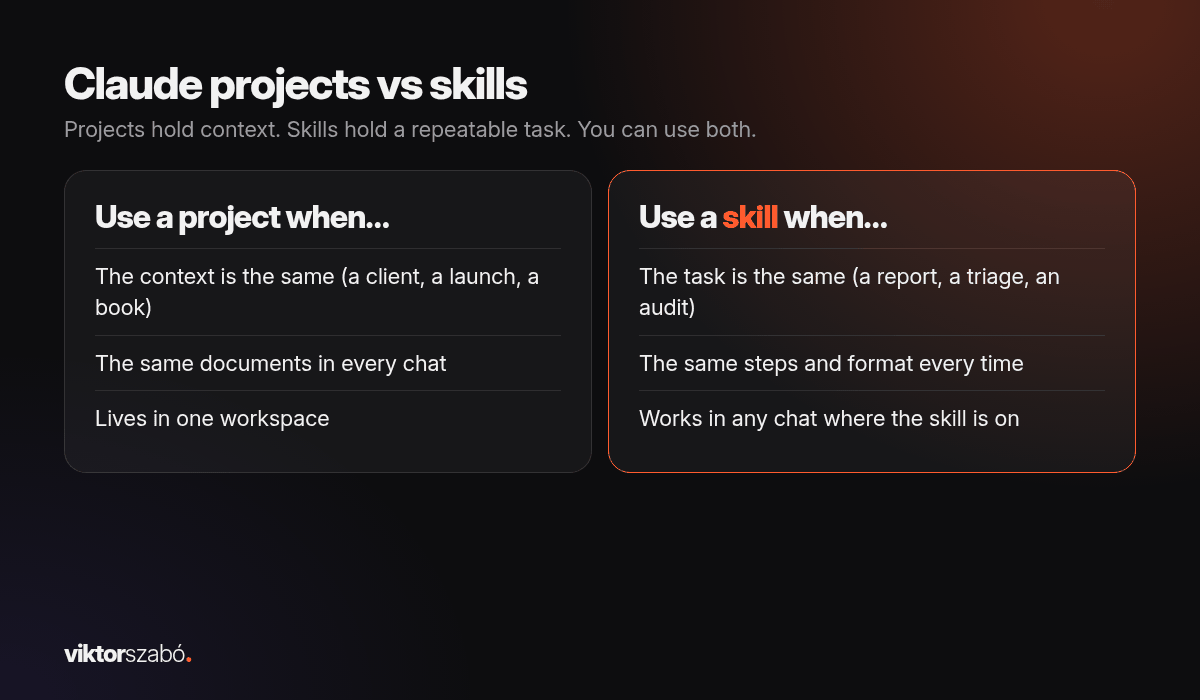
You can use both: a project for brand documents, a skill for the weekly report.
What is a Claude plugin?
A plugin “packages skills, MCP connectors, and commands and agents so you can add them to Claude as one unit” (Claude docs: Plugins). You add plugins from Customize → Plugins. When a plugin exists for a product you use, it usually bundles that product’s connector with the skills that use it.
Two things to know:
- Plugins listed in Anthropic’s directory are reviewed: every version gets automated validation and a security scan. A plugin you upload yourself or add from a marketplace URL isn’t, so add those only from sources you trust.
- The directory’s plugins appear on Pro, Max, Team and Enterprise plans.
Which should I set up first for marketing and ops work?
Here’s the order I’d suggest to someone starting today, and the order my free tools follow:
- One connector for the tool you live in. Usually Gmail, or Brevo if email marketing is your main job. Run a read-only test first, such as “list my 5 most recent campaigns” or “show me the subjects of my 3 latest emails. Don’t change anything.”
- One skill for your most repeated task. A weekly report is a good first one because it needs no connector.
- A connector plus a skill together, once you trust both. Gmail triage is the example I built.
- Projects for ongoing bodies of work with documents.
- Plugins when you want several pieces installed as one, or to share a setup.
Is it safe to connect Claude to my email and tools?
It can be, if you set it up with care. Anthropic’s own wording is a good warning: connecting a service means “granting Claude permission to access and potentially modify data within that service based on your account permissions” (help center).
The habits I use:
- Start read-only. Make your first action a read, not a change.
- Prefer drafts. Ask for drafts, not sends, and read every approval prompt before you click yes.
- Pick the narrower option. If a service offers a directory connector and a broader MCP server, use the narrower one unless you need more.
- Watch for instructions inside content. An email or document can contain text aimed at “the AI”. Treat it as information, not orders. Anthropic lists prompt injection as a risk to stay aware of (Connector verification).
- Disconnect what you don’t use.
- On Team or Enterprise, an Owner can restrict actions per connector, for example allowing Claude to read email but not send it.
The two posts linked in this section are the guides you can read here.
FAQ
Is a Claude connector the same as MCP?
Not quite. MCP is the open standard, and a connector is how an MCP server shows up in Claude. When you add an MCP server to Claude, you see it as a connector under Customize → Connectors.
What’s the difference between a skill and a project in Claude?
A project holds background knowledge, documents and chats for one body of work, and it’s always loaded in that project. A skill holds instructions for a repeatable task, and Claude loads it in any chat when your request matches its description.
Do I need to code to use Claude connectors?
No. Directory connectors install from Customize → Connectors with a normal login. You only deal with server URLs or config files for custom connectors or developer setups, such as Brevo’s MCP server.
Are Claude connectors free?
Anthropic says web connectors are available to all Claude users, including Free. Free accounts can add one custom connector. Some services need their own account or paid plan, and on Team and Enterprise an Owner enables connectors first.
What is a Claude plugin?
An installable package that can hold skills, MCP connectors, commands and agents, added from Customize → Plugins. Plugins in Anthropic’s directory are reviewed. Ones you upload yourself aren’t, so only add those from sources you trust.
Which should I set up first?
For most marketing and ops work, start with a connector for the tool you use every day and test it read-only. Then add a skill for your most repeated task. Add plugins later.